Claude CodeClaude appNeeds you
Review the launch plan
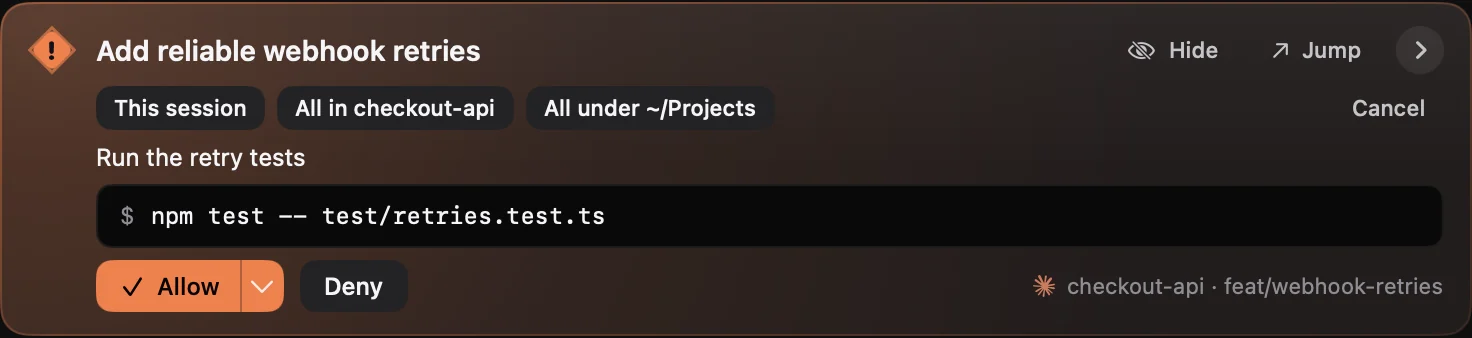
Read the request and give your answer, right in the notch.

FREE FOR 3 DAYS · NO CARD
CrewTower is a Mac app that keeps Claude Code, Codex and your other AI coding agents in your notch. Follow progress and answer requests across desktop apps and terminals.
Everything works for 3 days. Then $9.99, once.
Black Friday 30% offEverything works for 3 days. Then $6.99, once.
Stay with what you’re doing
A task in Claude. Another in Codex. Something still running in your terminal. CrewTower brings their progress and requests together, so keeping up doesn’t become another task.
Read the request and give your answer, right in the notch.
See that work is moving along without opening the app to check.
Know when it’s ready, then jump back to the right session.
Features
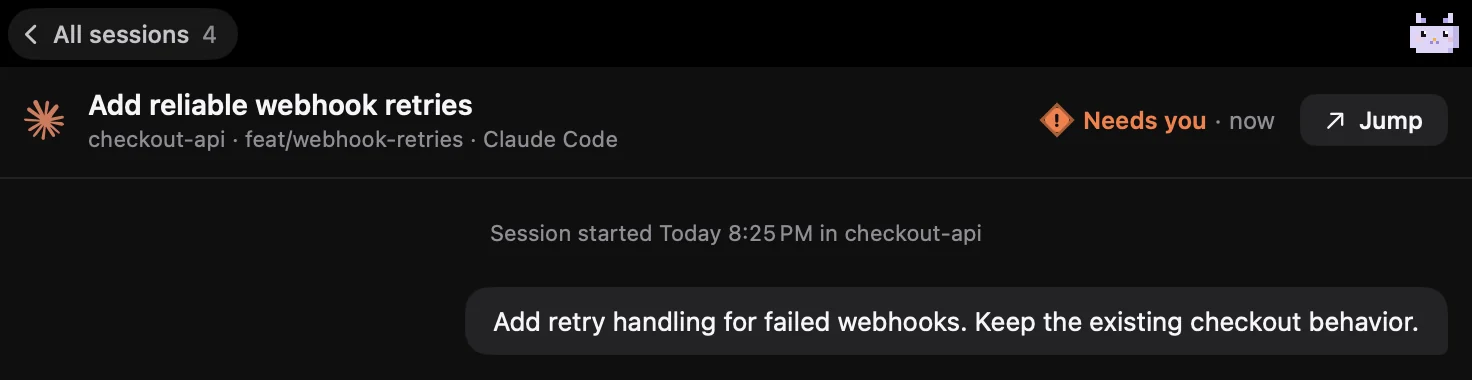
Each session is a card lit by what it needs from you. Asks come first, then work under way, then finishes you haven’t read yet.
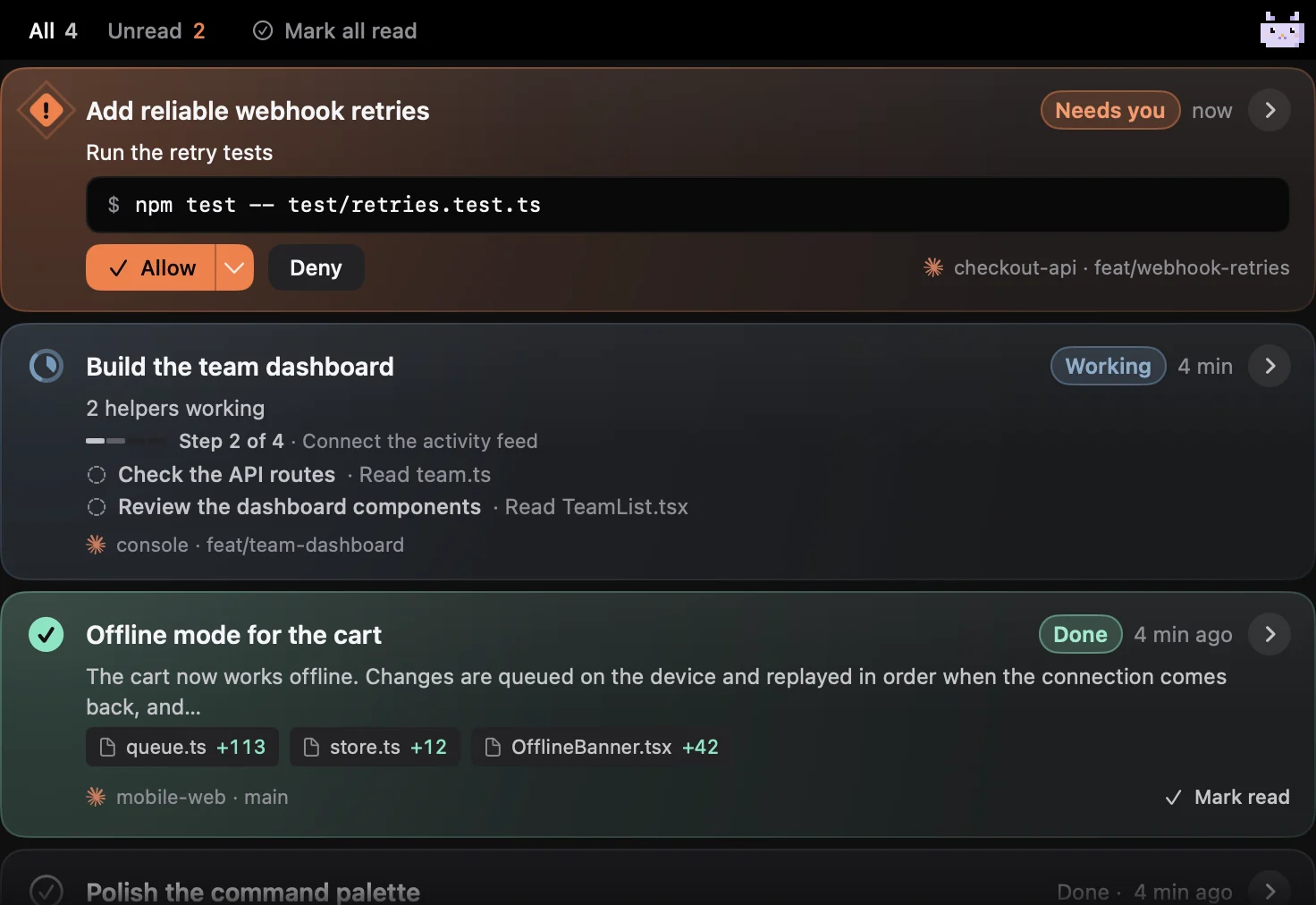
Approve once, for the rest of the session, or always where Claude Code suggests a rule. Your answer goes straight back, and your window stays in front.

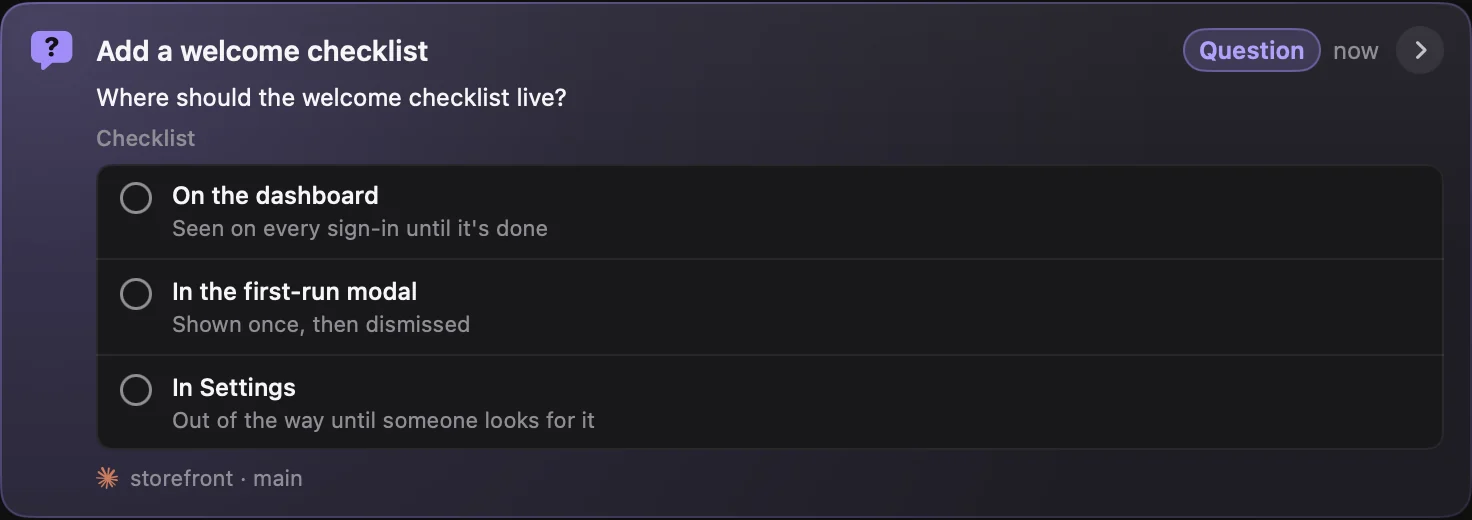
Pick an option and the agent carries on. Several questions, or several choices, fit on one card.
Press a card to read the session: your prompt, its replies and diffs, the work folded into lines, and what it waits on at the bottom.
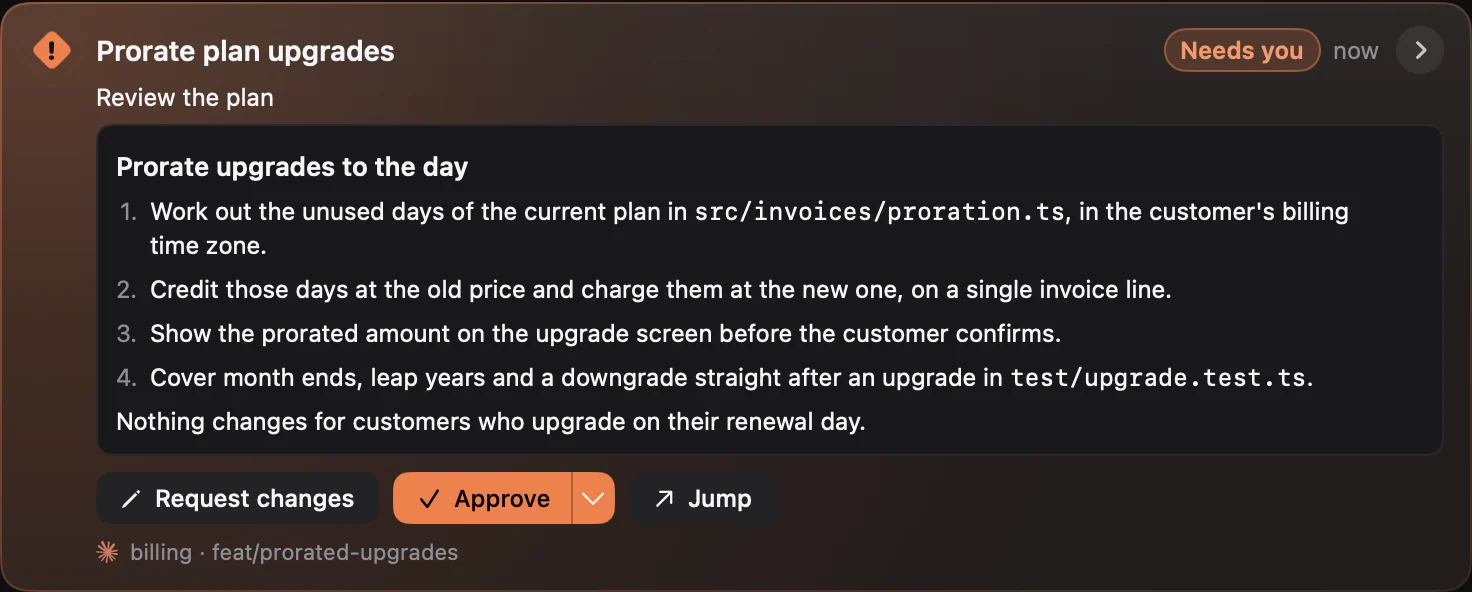
Read the whole plan on the card, then approve it or ask for changes before any code is written.
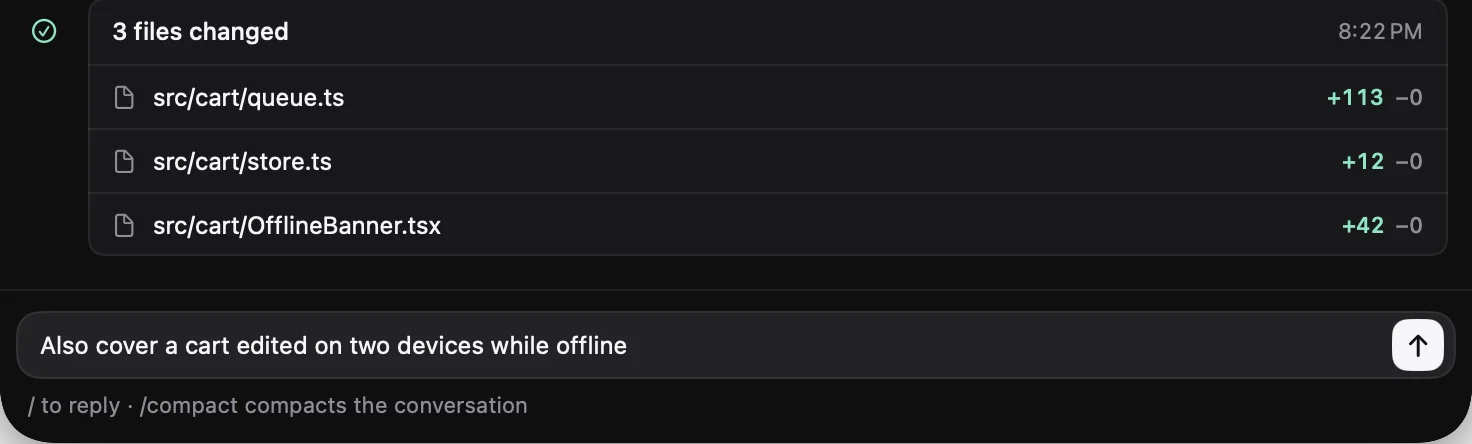
Send a finished Claude Code session its next prompt, stop a turn or compact it, without going back to the terminal. Off until you turn it on.
Hide one session or a whole folder. It keeps running, makes no sound and never opens the notch, and the list says how many are hidden.
Jump lands on the session’s own terminal tab or split pane, or its conversation in Claude or ChatGPT.
Claude and Codex windows sit under your sessions, each with its time left, from the provider’s own figures.

Works with
Desktop apps, editors, and terminals. Your crew stays where you work.
Monitor and respond
Live sessions and supported approvals, questions, and plans. Available actions depend on the agent and request.
More of your crew
Additional integrations offer live activity or detection and Jump. Approvals stay in the original app when a response connection is unavailable. What each agent supports.
At home in your terminal, too
Jump back to the right window, tab, or tmux or Herdr pane. Custom terminal rules are available in Settings. How Jump works.
Privacy
CrewTower runs entirely on your Mac. It reads your code, prompts, agent replies, commands and transcripts locally and never sends them anywhere.
The only thing the app sends to us is a license check, plus its version number when it checks for updates. Privacy policy
Want a second opinion? Ask your own AI. The question opens typed in but not sent, so you can edit it first.
Asking a different AI?
Pricing
All your sessions, close at hand.
Free
for 3 days · everything works · no card
then$9.99$14.99
then$6.99$9.9930% off
USD · one payment · one Mac
Black Friday price, until Nov 30
Applied at checkout with BLACKFRIDAY30
The whole app. Yours to keep.
After 3 days, CrewTower still tells you when an agent needs you; a license lets you see and answer it. Terms · Privacy
“It pays for itself the first time it stops you approving one bad plan.”
Questions
Yes. CrewTower follows Claude Code sessions in the Claude app and Codex tasks in the ChatGPT app, alongside supported terminal and editor sessions. See progress, respond to supported requests, and jump back to the task.
No. CrewTower uses the notch when your display has one and a small pill at the top of other screens. It runs on macOS 15 or later.
Yes. The Mac app is free to try for 3 days, with no card, started from the app itself. After 3 days, CrewTower keeps telling you when an agent needs you, but you need a license to see and answer it. You can also use the to explore sample sessions, approvals, plans, and companions.
CrewTower offers approvals, questions, and plan review when the agent provides a supported response connection. Other integrations show activity or detection and let you Jump back. If a request cannot be answered in the notch, continue in its original app.
No. Supported answers go directly to the waiting session through its local connection. CrewTower does not type into your apps. Jump brings you back when you need to continue there.
CrewTower does not upload your prompts, code, or transcripts. It makes network requests for licensing, updates, and enabled provider usage checks. There is no CrewTower account or app analytics. The privacy policy explains those connections.
Activating CrewTower configures supported integrations in the agents you have installed. It adds the hooks or plugin needed to follow sessions and answer requests. Your own integrations are preserved.
Accessibility helps Jump find the right terminal tab and navigate supported desktop sessions, and lets CrewTower tell when you are already looking at a session so it stays quiet. Approvals and answers use a separate connection and do not depend on that permission.
Every agent keeps its own prompt. With no answer from CrewTower, the agent asks you in its terminal or window as it would without CrewTower, so a missing response is never treated as your approval.
Yes. Sessions keep their own titles and status, even when they share a folder. You can tell them apart in the notch and jump back to the one you need.
Your apps. Your workflow. A little less checking. Bring your crew together at the top of your Mac.
The first 3 days are on us.
Then one payment. Updates included.
Or install with Homebrew
brew tap crewtower/tap
brew trust crewtower/tap
brew install --cask crewtower